Shopify Webhooks
E-commerceShopify sends webhook events for the full order lifecycle, product changes, customer activity, and mandatory GDPR topics. Required for Shopify App Store listing.
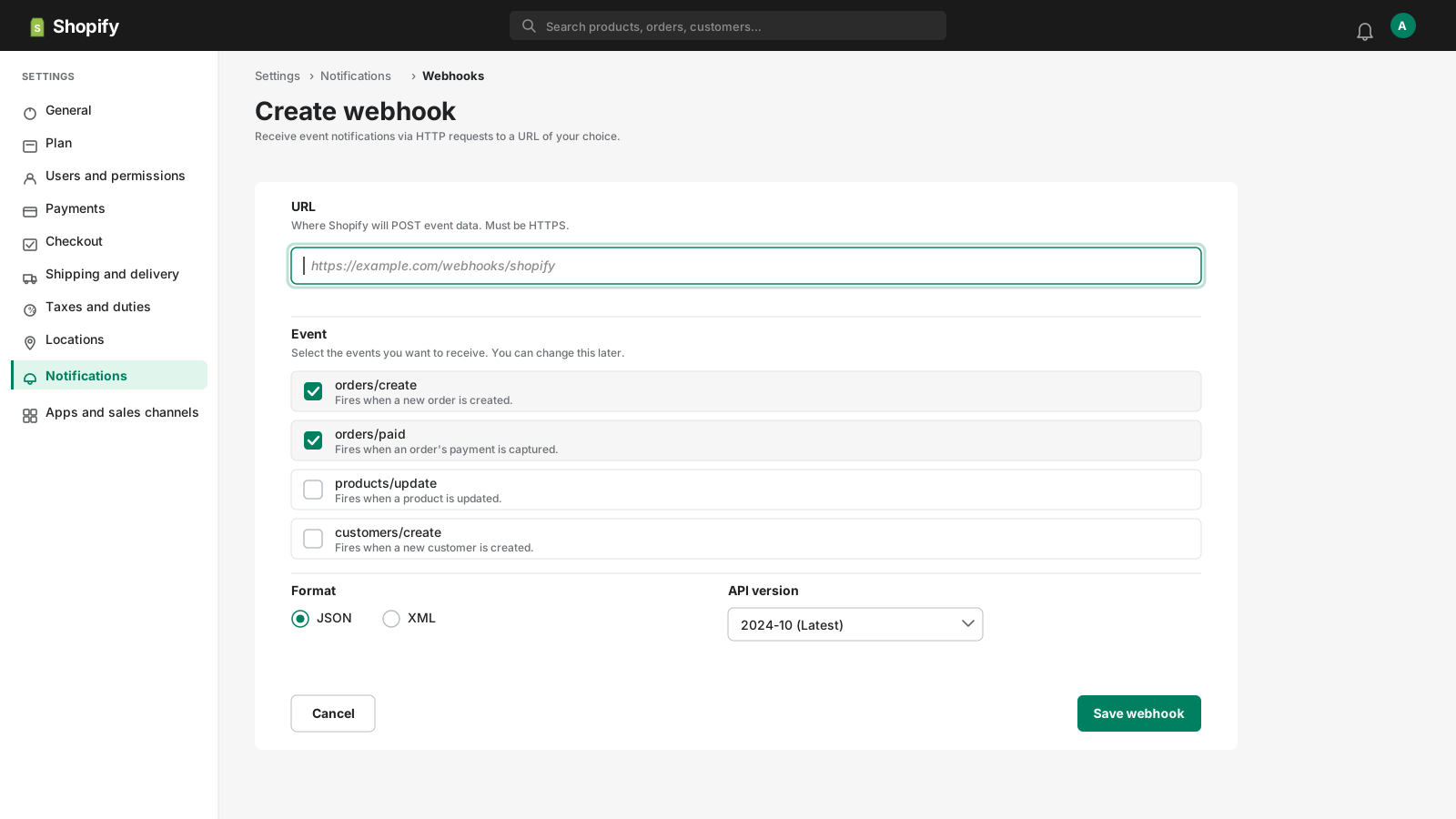
Webhook Events
8 event types
orders/createNew order placed
orders/paidOrder payment confirmed
orders/cancelledOrder cancelled
orders/fulfilledOrder marked as fulfilled
products/createNew product added
products/updateProduct updated
customers/createNew customer registered
app/uninstalledApp removed from store
Signature Verification
X-Shopify-Hmac-Sha256Base64(HMAC-SHA256(rawBody, sharedSecret))
Sample Payload
orders/create
{
  "id": 820982911946154500,
  "email": "[email protected]",
  "created_at": "2026-04-11T10:00:00-04:00",
  "total_price": "199.99",
  "currency": "USD",
  "financial_status": "paid",
  "fulfillment_status": null,
  "line_items": [
    {
      "id": 866550311766439000,
      "title": "Premium Widget",
      "quantity": 1,
      "price": "199.99"
    }
  ],
  "shipping_address": {
    "first_name": "Jon",
    "last_name": "Doe",
    "city": "New York",
    "country": "US"
  }
}
Send a Sample Shopify Payload
Pick an event, enter your endpoint URL (or localhost), and fire a realistic Shopify payload with one click — no Shopify account needed.
Test Sender
Loading samples…
Capture & Inspect Shopify Webhooks Live
Get a free public HTTPS endpoint below, point Shopify at it, and watch events arrive in real time. Use the forwarding rule to relay them straight to your local server.
See it work in real time
Click below to get a live webhook URL instantly. Paste it anywhere — Stripe, GitHub, Postman — and watch events arrive right here.
Expires in 1 hour · No account needed
Forward Shopify webhooks to localhost
- Click Create live endpoint above to get a public HTTPS URL
- Paste the URL into Shopify's webhook settings
- In the Forwarding tab, add a rule: target =
http://localhost:3000/webhooks/shopify - Fire a test event from Shopify — it arrives in the inspector and hits your local handler simultaneously
Ready to test your Shopify webhook handler?
Free HTTPS endpoint with forwarding, retry, and event replay. No install, no CLI, no deploy.
Create Free AccountRelated Guides
Common Shopify Webhook Errors
HMAC verification failed
Cause: You're computing the HMAC on the wrong data — either a re-encoded body or a parsed-then-stringified object instead of the original raw bytes.
Fix: Read the raw request body before any JSON parsing. Compute HMAC-SHA256 of the raw bytes using your Shopify secret, then Base64-encode and compare with the X-Shopify-Hmac-SHA256 header.
Webhook topic not triggering
Cause: The app subscription was created with the wrong topic string, or the app doesn't have the required permissions.
Fix: Check your app's OAuth scopes in the Shopify Partner dashboard. Ensure the webhook topic matches the Shopify API topic format (e.g. orders/create not order.created).
Receiving duplicate order events
Cause: Shopify retries if your endpoint doesn't respond within 5 seconds.
Fix: Return 200 immediately. Process the event asynchronously. Use the webhook ID or order ID to deduplicate.
Signature Verification Code
const crypto = require('crypto');

app.post('/webhooks/shopify', express.raw({ type: 'application/json' }), (req, res) => {
  const hmac = req.headers['x-shopify-hmac-sha256'];
  const hash = crypto
    .createHmac('sha256', process.env.SHOPIFY_WEBHOOK_SECRET)
    .update(req.body)
    .digest('base64');
  if (hash !== hmac) return res.status(401).send('Unauthorized');
  const topic = req.headers['x-shopify-topic'];
  const data = JSON.parse(req.body);
  // Handle topic here
  res.sendStatus(200);
});import hmac, hashlib, base64, os
from flask import Flask, request
app = Flask(__name__)
@app.route('/webhooks/shopify', methods=['POST'])
def shopify_webhook():
digest = hmac.new(
os.environ['SHOPIFY_WEBHOOK_SECRET'].encode(),
request.get_data(), hashlib.sha256
).digest()
computed = base64.b64encode(digest).decode()
received = request.headers.get('X-Shopify-Hmac-SHA256', '')
if not hmac.compare_digest(computed, received):
return 'Unauthorized', 401
topic = request.headers.get('X-Shopify-Topic')
# Handle topic here
return '', 200How to Test Shopify Webhooks with WebhookWhisper
- 1
Create a free WebhookWhisper endpoint
Click "Create live endpoint" and copy your HTTPS URL.
- 2
Open Shopify Partner Dashboard → App setup
Go to your app's Event subscriptions section. Or use Shopify Admin → Settings → Notifications → Webhooks for store-level webhooks.
- 3
Add your WebhookWhisper URL
Paste your WebhookWhisper URL and select the topic (e.g. orders/create). Set format to JSON.
- 4
Trigger a test event
In Shopify Admin, create a test order or use "Send test notification". Watch it arrive in WebhookWhisper.
- 5
Forward to your local handler
Add a forwarding rule in WebhookWhisper pointing to http://localhost:3000/webhooks/shopify.
Shopify Webhook FAQ
What is the X-Shopify-Hmac-SHA256 header?
It's a Base64-encoded HMAC-SHA256 of the raw request body using your webhook secret. Always verify this before processing any event.
How do Shopify webhook topics differ from other providers?
Shopify uses slash-separated topics (orders/create, products/update) rather than dot notation. Each topic maps to a specific resource and action.
What's Shopify's webhook retry policy?
Shopify retries up to 19 times over 48 hours. After 19 consecutive failures, the webhook subscription is automatically deleted.
How do I debug a failing Shopify webhook?
Use WebhookWhisper to capture the raw payload and headers. Compare the X-Shopify-Hmac-SHA256 header value with your locally computed HMAC to isolate signature issues.